NetFlow, IPFIX and sFlow traffic analysis
TarleyNode receives NetFlow and IPFIX on UDP 2055 and sFlow on UDP 6343, and shows top talkers, destinations and applications under Traffic. For each router, switch or firewall, Send flows to TarleyNode shows the commands to paste into it, filled in with where to send them.
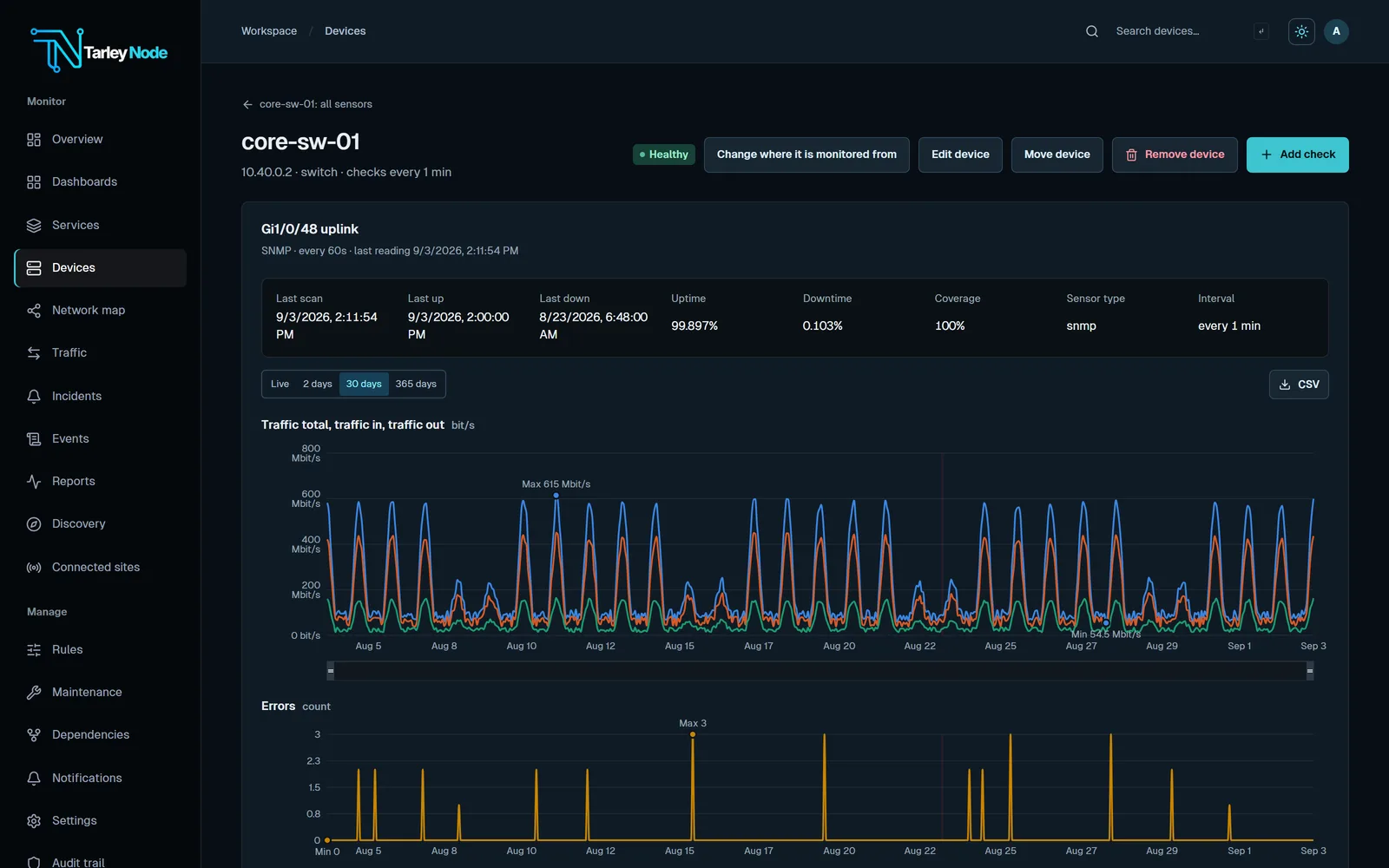
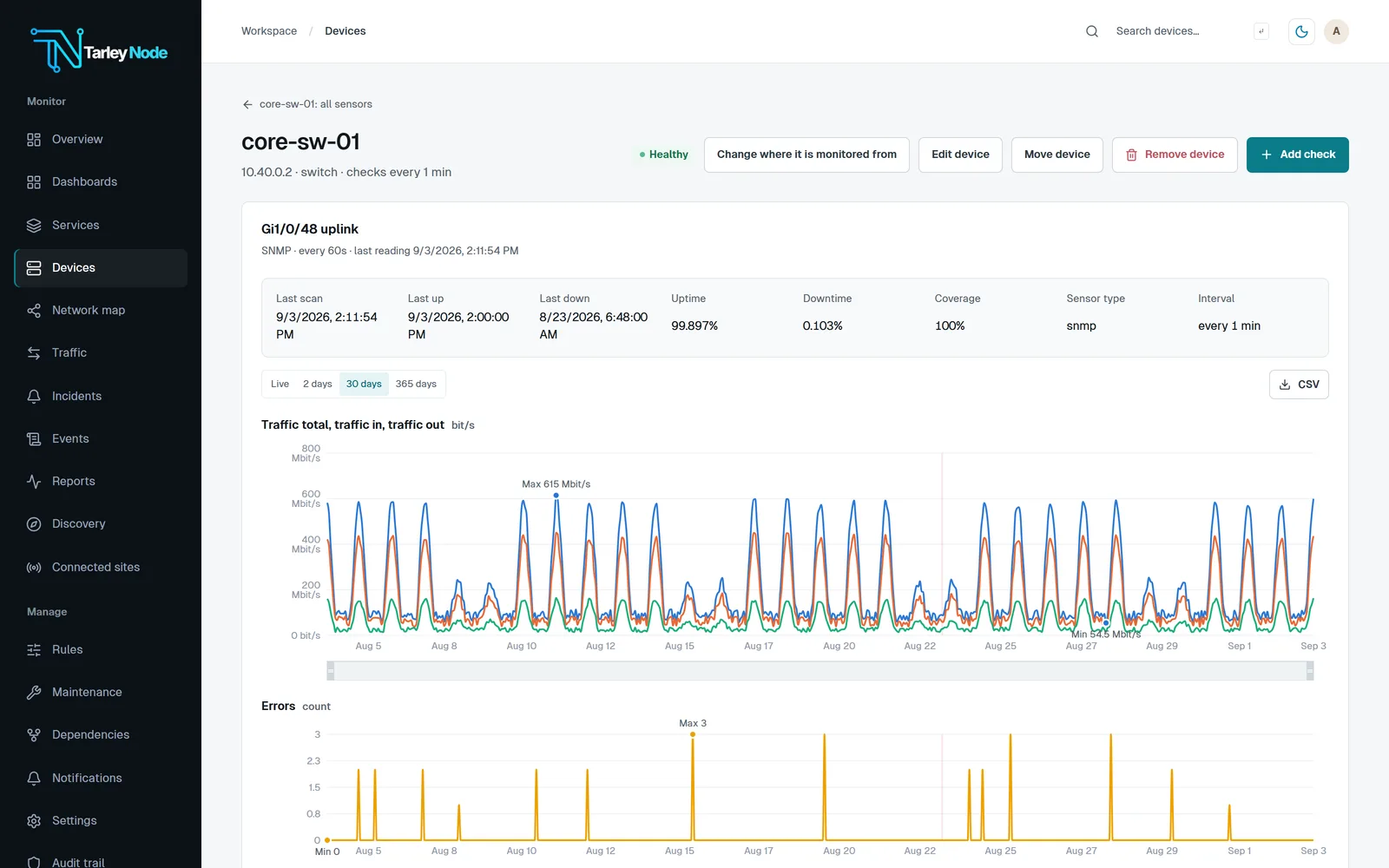
What it shows
- NetFlow, IPFIX and sFlow traffic summaries: top talkers, destinations and applications.
- Per-port traffic, errors and status from SNMP on the same devices, with history graphs for each port.
- Flows matched to each device by the address they come from.
- Syslog and SNMP traps from the same devices under Events. Events shows the last 3 months, and Include older entries searches everything that is kept.
- Port graphs from 1 hour to 1 year or a custom range, with a 95th percentile line, averages, traffic totals and Download CSV below them.
Set it up
- Open a router, switch or firewall’s page and choose Send flows to TarleyNode. It picks the device’s make from what discovery found.
- Paste the commands it shows into the device. They send NetFlow or IPFIX to UDP 2055, or sFlow to UDP 6343, on the TarleyNode server.
- Send the flows from the address TarleyNode monitors the device at, because that is how flows are matched to it.
- The panel shows Receiving flows once they arrive, and Traffic then shows top talkers, destinations and applications.
Flows from other locations
The TarleyNode server receives flows unless it was installed with --no-receivers. A connected site receives them when it was installed with --receivers, or -Receivers on Windows, and the panel says if it was not.
TarleyNode never changes the device itself: you paste the commands, so nothing is pushed to your network equipment. Flow analysis runs on the same server as the rest of your monitoring, so traffic data stays on your own network too.
Questions
Which flow formats does TarleyNode accept?
NetFlow and IPFIX on UDP 2055, and sFlow on UDP 6343.
Is flow analysis an add-on?
No. Flow analysis is included in TarleyNode, alongside configuration backups, network maps and status pages.
Does TarleyNode change my router’s configuration?
No. Send flows to TarleyNode shows the commands for you to paste; TarleyNode never changes the device itself.
Do I need a separate flow collection server?
No. The TarleyNode server receives NetFlow, IPFIX and sFlow itself, unless it was installed with --no-receivers, and shows the results in the same console as your alerts and reports.
Which ports must be open?
UDP 2055 for NetFlow and IPFIX, and UDP 6343 for sFlow, from each device to the TarleyNode server or connected site that receives its flows.
Can I alert on traffic?
Yes. Add an alert rule on any port value under Rules, such as errors above 10 per minute on a port.
Is our traffic data sent to TarleyNode?
No. Monitoring results are never routed through a TarleyNode cloud service. Flows go to your own TarleyNode server and stay there.
Can a branch office send flows?
Yes. A connected site receives flows when it was installed with --receivers, or -Receivers on Windows.
Related
TarleyNode is offered by invitation while it is new. Request a demo to try it on your own network.